
As the RecRam team, we are committed to enhancing the user experience to the highest level. With the March update, we have introduced numerous new features and improvements to our platform. This update brings users expanded language support, advanced statistics, customization options, and new form features. Below, you will find a detailed breakdown of all the updates included in this release.
1. New Language Support

RecRam now supports six new languages, including Spanish, French, German, Italian, Portuguese (Brazil), and Norwegian. This update not only expands the platform’s dashboard language options but also ensures that all newly created forms and Captures are automatically published in your business’s default language.
2. New Design Enhancements for Forms Overview


The Forms Overview section has been redesigned to offer a more visual and insightful experience for users. With this improvement, analyzing responses is now more efficient and user-friendly.
3. Advanced Statistics for Forms
With this major update, we have introduced detailed analytics to the Forms module. Users can now access the following insights:

- Form Completion Rate: Percentage of users who complete the forms
- Average Form Completion Time: The average time taken to complete a form
- Form Drop-off Data: Insights into at which step users abandon the form
- Step-by-Step Analysis: Identifies where users spend the most time
- Total Video Watch Time: The total duration users spend watching videos within the form
- Average Video Watch Time: The average seconds spent watching videos
- Most Watched & Rewatched Videos: Identifies the most engaging content
- Video Completion Rate: Percentage of users who finish watching a video
- Preferred Response Types: Breakdown of responses by audio, text, video, and screen recordings
- Page-Level Response Insights: In-depth analysis of responses given on each page
4. Custom Background Color for Forms

With this newly introduced feature, the background color of forms can now be customized. Businesses can now align their forms with their brand identity by adjusting button colors, text fonts, and background colors, achieving a unique and professional appearance.
5. Automatic Naming for Capture Responses
Responses collected through the Capture module are now automatically named based on their content. This allows users to easily review and manage feedback from a single interface, improving organization and efficiency.
6. Manual Naming for Capture Entries
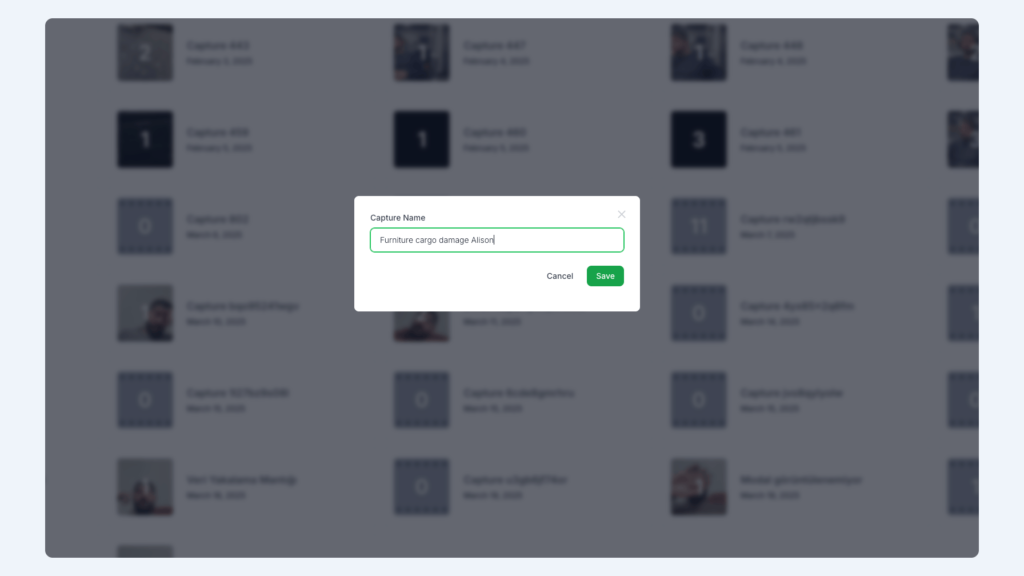
Users are no longer restricted to AI-generated titles. They can now manually name each Capture entry, providing greater flexibility in organizing and categorizing responses.
7. Enhanced Contact Information Collection for Capture

One of the most requested features, contact information collection, has been added to the Capture module. With this update, a new “Contact” section has been introduced in the “Onboarding Screen” menu under Capture settings. This new feature enables users to:

- Collect name, surname, email, phone number, and business name from respondents.
- Choose which information fields should be visible or required.
- Enable or disable contact information collection when generating a Capture link.
- Access customer details, device information, browser data, and communication details directly within the Capture entry.